

























































































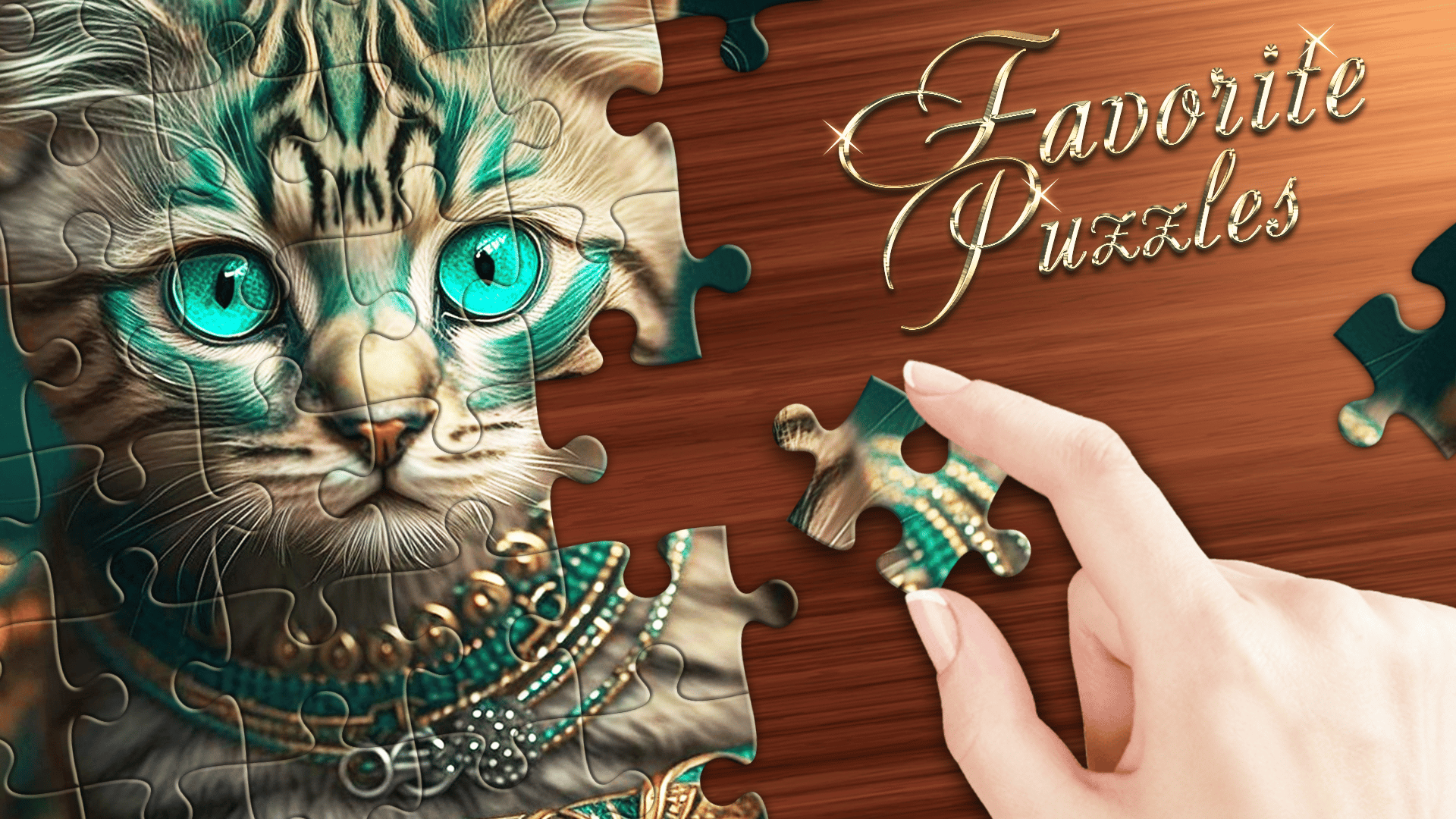
Favorite Puzzles
4.7PPuzzle
Loading...
Loading Game...
Favorite Puzzles
Puzzle4.7
Description
Instructions
Categories
Favorite Puzzles is an engaging online jigsaw puzzle game that caters to puzzle enthusiasts of all ages. Featuring an extensive gallery of stunning images, this game allows players to embark on a delightful journey of creativity and challenge. Whether playing on a desktop, tablet, or mobile device, gamers can enjoy the freedom of a no-download, no-registration experience, allowing them to dive straight into the game. With various difficulty level options ranging from 6 to 1200 pieces, players can tailor the challenge to their skill level and take on puzzles that suit their preferences. The game also includes exciting features like hints, a grid display, and the ability to create custom puzzles from your own images. Competitive players will appreciate the leaderboard and achievements, as well as the chance to engage in weekly tournaments. Together with its classic and realistic modes, Favorite Puzzles promises an entertaining and immersive experience.
Key Features of the Game
- Endless Gallery: Enjoy an extensive selection of images across 48 categories, ensuring there's something for everyone.
- Custom Difficulty: Choose difficulty levels from 6 to 1200 pieces and play with or without rotation.
- Personalize Your Puzzles: Create puzzles from personal photos and enjoy unique gameplay.
- Dual Game Modes: Play in Classic mode for traditional gameplay, or switch to Realistic mode for added challenge.
- Compete and Achieve: Track your progress on leaderboards, earn Malachite, and compete in weekly tournaments.
- User-Friendly Interface: Customize the interface and background color to enhance your gaming experience.
- Hints and Assistance: Use hints, examples, and a grid to guide you through tricky puzzles.
Why Players Love Favorite Puzzles
Players can immerse themselves in the world of jigsaw puzzles and enjoy a diverse selection of images, which adds to the game's replayability. The option to create puzzles from personal images allows for a unique touch that keeps gamers returning. Additionally, the user-friendly interface and adjustable difficulty make it accessible for both kids and adults, ensuring that everyone can join in on the fun. The competitive atmosphere fueled by achievements and tournaments adds excitement and motivates players to improve their skills.How Favorite Puzzles Compares to Similar Games
Compared to other popular online puzzle games like Jigsaw Puzzle or 100 Puzzles, Favorite Puzzles stands out due to its extensive customization options and the ability to create personal puzzles. These features enhance engagement and personalization. While Jigsaw Puzzle offers a good array of images, it lacks the broad range of difficulty settings and competitive elements present in Favorite Puzzles. Unlike 100 Puzzles, which often has limited image selections, Favorite Puzzles’ diverse gallery makes it a top choice for puzzle fans.Frequently Asked Questions
What platforms can I play Favorite Puzzles on?
You can play Favorite Puzzles on desktop, tablet, and mobile devices without the need for downloads or registrations.How many pieces can I choose from?
The game offers difficulty levels from 6 to 1200 pieces, allowing players to select the challenge that suits them best.Can I create my own puzzles?
Yes! You can create puzzles from your own pictures or photos, giving a personal touch to your gaming experience.Is there a competitive element in the game?
Absolutely! You can compete against others on the leaderboard, earn achievements, and participate in weekly tournaments.What are the available game modes?
Favorite Puzzles features Classic and Realistic modes, catering to different play styles and preferences.Related Entities
Explore similar genres like Jigsaw, Casual Puzzles, and Multiplayer Games for more engaging game options. Additionally, related concepts like cognitive skills enhancement and family entertainment make Favorite Puzzles a great choice for players of all levels.Instructions
PC Controls
- Use the cursor and left mouse button to grab and move puzzle pieces.
- Zoom in or out using the mouse wheel and scroll through the elements feed.
Mobile Controls
- Use your fingers to drag and place puzzle pieces, and pinch to zoom in or out on the puzzle.
Gameplay Steps
- Start by selecting your desired difficulty level, ranging from 6 to 1200 pieces.
- Choose an image category that appeals to you from the gallery.
- Begin dragging puzzle pieces to the correct spots on the board.
- Use hints if you find yourself stuck; they can help guide you through difficult sections of the puzzle.
- If you wish, click on the grid option for additional assistance in placing pieces.
- When completed, you can admire your masterpiece or challenge yourself by trying a new puzzle!
Beginner Tips
- Start with fewer pieces to familiarize yourself with the mechanics before moving on to complex pieces.
- Utilize the hint feature strategically, saving them for tougher challenges.
- Keep your workspace tidy; organizing pieces by color can help streamline your puzzle-solving process.
- Don’t hesitate to try the Realistic mode for a thrilling challenge once you feel confident!
- Take breaks if you feel frustrated; coming back with a fresh perspective often helps in seeing the solution more clearly.
Comments
Please Login to write a comment.
Loading...
Play next























Free Online Games at Gamesed
Gamesed features the latest and best free online games. You can enjoy playing fun games without interruptions from downloads, intrusive ads, or pop-ups. Just load up your favorite games in your web browser and start playing.