

























































































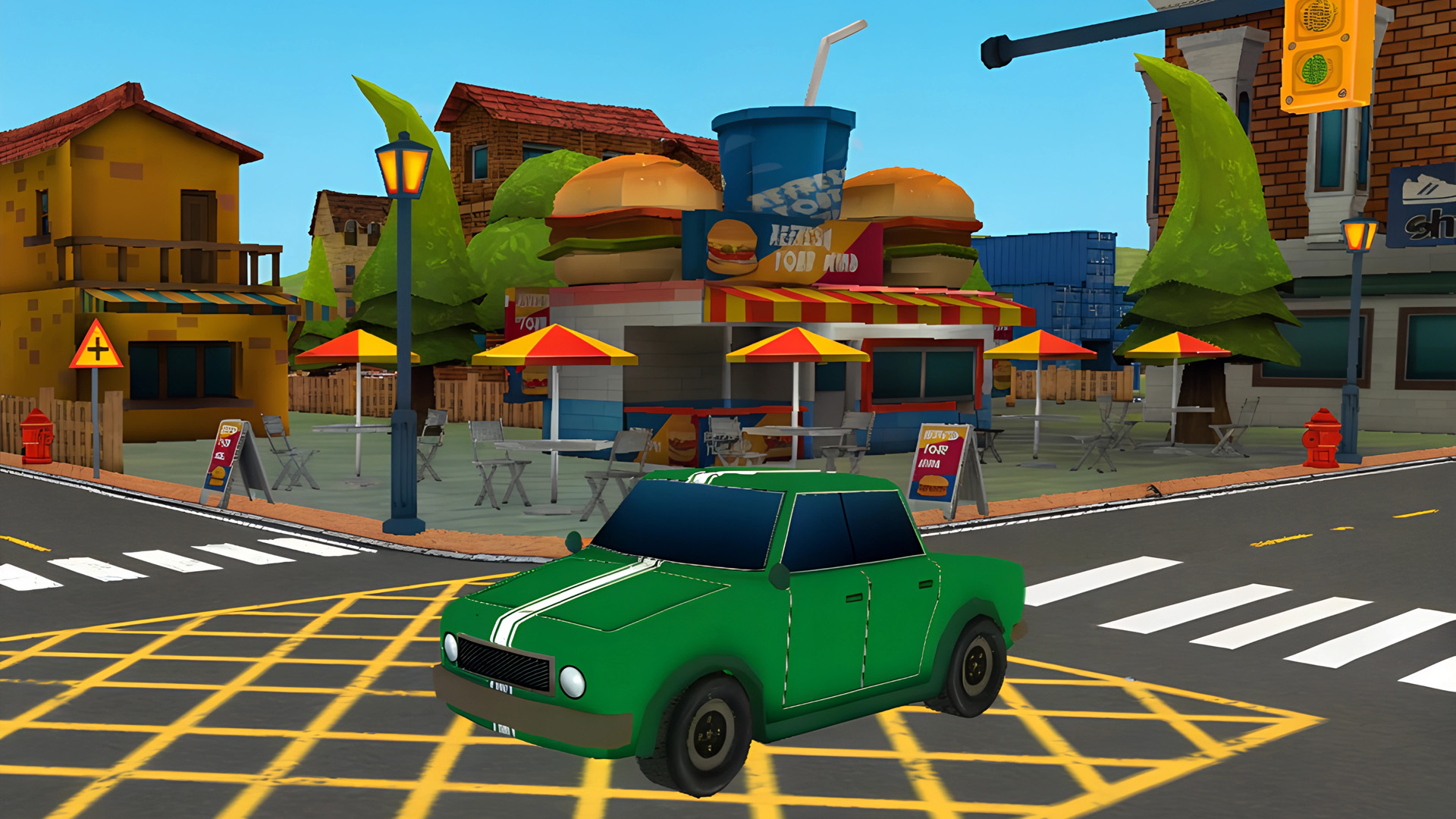
Fun Town Parking
4.6CCasual
Loading...
Loading Game...
Fun Town Parking
Casual4.6
Description
Instructions
Categories
Fun Town Parking is an exhilarating online parking simulation game that puts your driving skills to the test. Navigate through challenging pathways and find the perfect parking spot while avoiding obstacles that can trip up even the most experienced drivers. With increasing levels of difficulty, each stage offers a fun yet challenging experience that keeps players coming back for more.
Key Features of the Game
- Dynamic Gameplay: Engage in challenging parking tasks that evolve in complexity.
- Accessible on All Devices: Play anywhere, anytime on desktop, tablet, or mobile without downloads or registrations.
- Intuitive Controls: Easy-to-use controls make it accessible for players of all skill levels.
- Realistic Graphics: Enjoy stunning visuals that enhance your gaming experience.
- No Registration Required: Jump straight into the action without the hassle of signing up!
- Engaging Levels: Progress through a variety of unique levels that test your parking prowess.
Why Players Love Fun Town Parking
Players are drawn to Fun Town Parking not just for its engaging gameplay but also for its replayability. Each level offers new challenges, making every play session feel fresh and exciting. The lack of registration allows for immediate access, which is a huge plus for gamers looking to quickly dive into fun. Its accessibility on different devices ensures that you can enjoy the thrill of parking challenges whether at home or on-the-go.How Fun Town Parking Compares to Similar Games
Fun Town Parking stands out in the simulation genre alongside games like Parking Fury and Car Parking Multiplayer. Unlike Parking Fury, which incorporates elements of racing, Fun Town Parking focuses purely on the art of parking, offering a more refined experience for those looking to hone their skills. Meanwhile, Car Parking Multiplayer includes added online features and interactions, but Fun Town Parking is perfect for solo players wanting a straightforward and entertaining parking challenge.Frequently Asked Questions
What are the main controls in Fun Town Parking?
The main controls include using W/A/S/D or Arrow keys for movement, the Shift key for changing gears, and the C key to toggle the camera view.Is Fun Town Parking suitable for all ages?
Yes, Fun Town Parking is designed to be family-friendly and can be enjoyed by players of all ages.Do I need to download anything to play?
No, you can enjoy Fun Town Parking directly in your web browser without any downloads or installations required.How do I improve my parking skills in the game?
Practice makes perfect! The more you play, the better you’ll become. Start with easier levels and gradually take on more complex challenges.Can I play Fun Town Parking with friends?
Currently, Fun Town Parking is a single-player game, but you can compete for high scores with your friends.Related Entities
- Driving Games: Explore more thrilling driving challenges.
- Simulation Games: Immerse yourself in realistic gaming experiences.
- Racing Games: For players who enjoy high-speed action along with their parking skills.
Instructions
PC Controls
- Movement: Use W/A/S/D or Arrow keys to navigate.
- Change Gear: Use the Shift key to switch gears for forward or backward movement.
- Change Camera View: Press C to toggle the camera view for better maneuvering.
- Mute/Unmute Sound: Hit M to control sound settings.
- Pause the Game: Press P to pause gameplay.
- Reset Game: Use R to reset your current game.
Mobile Controls
- Movement: Swipe or tap on your device to steer the vehicle in the desired direction.
- Change Gears: Use on-screen gear buttons for moving forward or backward.
- Camera Change: Tap the camera icon to alter the view.
- Pause Game: Press the pause icon on the interface.
Gameplay Steps
- Start the game and choose your level.
- Familiarize yourself with the controls by practicing in the early levels.
- Observe the layout of obstacles and parking spots.
- Use the controls to navigate through pathways and align your vehicle for parking.
- Make sure to avoid obstacles to not fail the level.
- Keep progressing through levels to challenge your skills further.
Beginner Tips
- Take Your Time: Initially, take a moment to familiarize yourself with each level layout before rushing.
- Watch for Obstacles: Pay close attention to any potential hazards that might block your parking efforts.
- Practice Makes Perfect: Continually practice on various levels to improve precision.
- Utilize Camera Angles: Switch between camera views to get a better perspective on difficult scenarios.
- Stay Calm: If you find yourself in a tight spot, don't hesitate to reset the game and try again.
- Gradual Progression: Start with easier levels to build confidence before tackling more challenging scenarios.
Comments
Please Login to write a comment.
Loading...
Play next























Free Online Games at Gamesed
Gamesed features the latest and best free online games. You can enjoy playing fun games without interruptions from downloads, intrusive ads, or pop-ups. Just load up your favorite games in your web browser and start playing.